
Making & Fabrication
Thousands of Fab Lab Projects Are Hiding in This Archive
Fab Academy has preserved student machines, files and failures since 2009. The trick is knowing how to find the projects worth borrowing from.
It is half library, half workshop drawer
Every year, Fab Academy students document months of digital-fabrication work: CAD, laser cutting, CNC machining, electronics, programming, 3D printing and one final project that has to bring the lot together.
The result is a public archive stretching from 2009 to 2026. It contains polished machines, exhausted documentation, clever failures and enough project files to ruin a perfectly productive afternoon.
The year-by-year archive starts here. It is free to browse and does not require an account.
Search for evidence, not a glamorous thumbnail
A useful Fab Academy project normally shows its workings. Look for a bill of materials, downloadable design files, circuit diagrams, code, test photographs and an honest explanation of what failed.
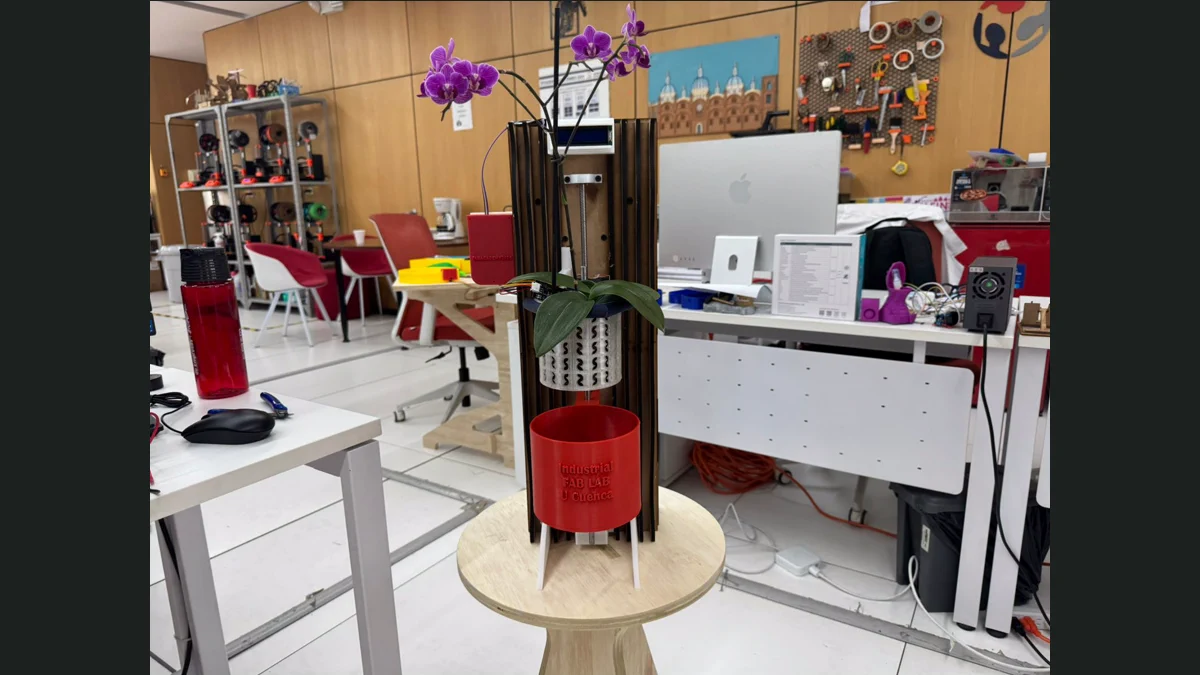
Recent examples include the Fab Train, which includes editable fabrication files and packaging work; the OrquiWall irrigation system, with PCB and laser-cut files; and Rodrigo Guamán’s project archive, which collects CNC, 3D-printing, KiCad and Arduino material in one place.
That does not mean you should download a student’s final project and put it on Etsy by Friday. Each student chooses their own licence. Some use CC BY-SA, some use non-commercial terms and some split the documentation, hardware and code across different licences.
The failures are often the best bit
Commercial project pages remove the dead ends. Student documentation often leaves them in: a board that would not mill, a joint that was too tight or an enclosure redesigned three times because the connector was on the wrong side.
That is gold when you are about to make the same mistake.
The archive is particularly useful for understanding how a project moves between tools. You can watch one object travel from a sketch to CAD, fabrication files, electronics, code and a physical prototype instead of seeing only the photogenic final frame.
Try this first
Pick one problem, not one object: automatic watering, accessible controls, a folding structure or a small plotter. Search one archive year and save three projects that solve that problem differently. Compare their files, costs and failures before you copy a single dimension.