
CNC & Laser
Rayforge: Free Laser Software With Camera Alignment and Material Recipes
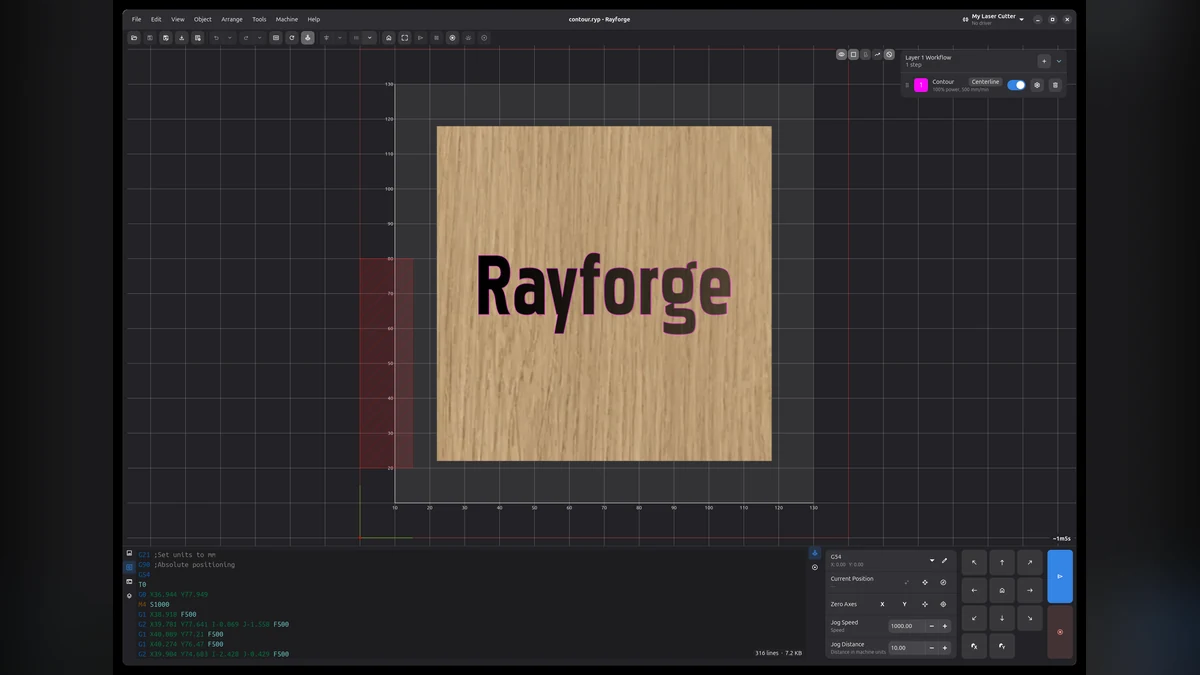
Rayforge is open-source laser software with a 2D sketcher, camera alignment, multilayer jobs, rotary support and material recipes. The useful question is not whether it looks powerful—it is whether it makes your actual setup easier.

Laser software becomes expensive very quickly. It also becomes confusing very quickly, because every machine seems to have its own preferred workflow.
Rayforge is an open-source option that includes a 2D CAD sketcher, multilayer jobs, camera alignment, rotary support, path optimisation and material recipes.
The camera alignment is the interesting bit
A camera view can make it easier to position artwork on an existing piece of material. That matters when you are engraving an offcut, placing a name on a finished object or trying not to waste a sheet because the design landed 20 mm too far to the left.
It is not magic, though. The camera still needs calibration, the bed still needs to be flat and your machine still needs the correct origin and focus.
Free does not mean zero setup
Open-source software can save money, but it asks you to be more responsible about compatibility. Check your machine, controller, operating system and laser safety setup before sending a job.
Start with a small, low-risk file. Confirm the frame, focus, material and power settings. Never treat a software preview as a safety check.
Try this first
Install Rayforge without connecting it to a live job. Open a simple rectangle and a small piece of text. Learn where the origin, layers, preview and framing controls are. Only then test the camera workflow on scrap material.