Design generators
Using Adobe Firefly's Structure Reference to build a matching sticker sheet
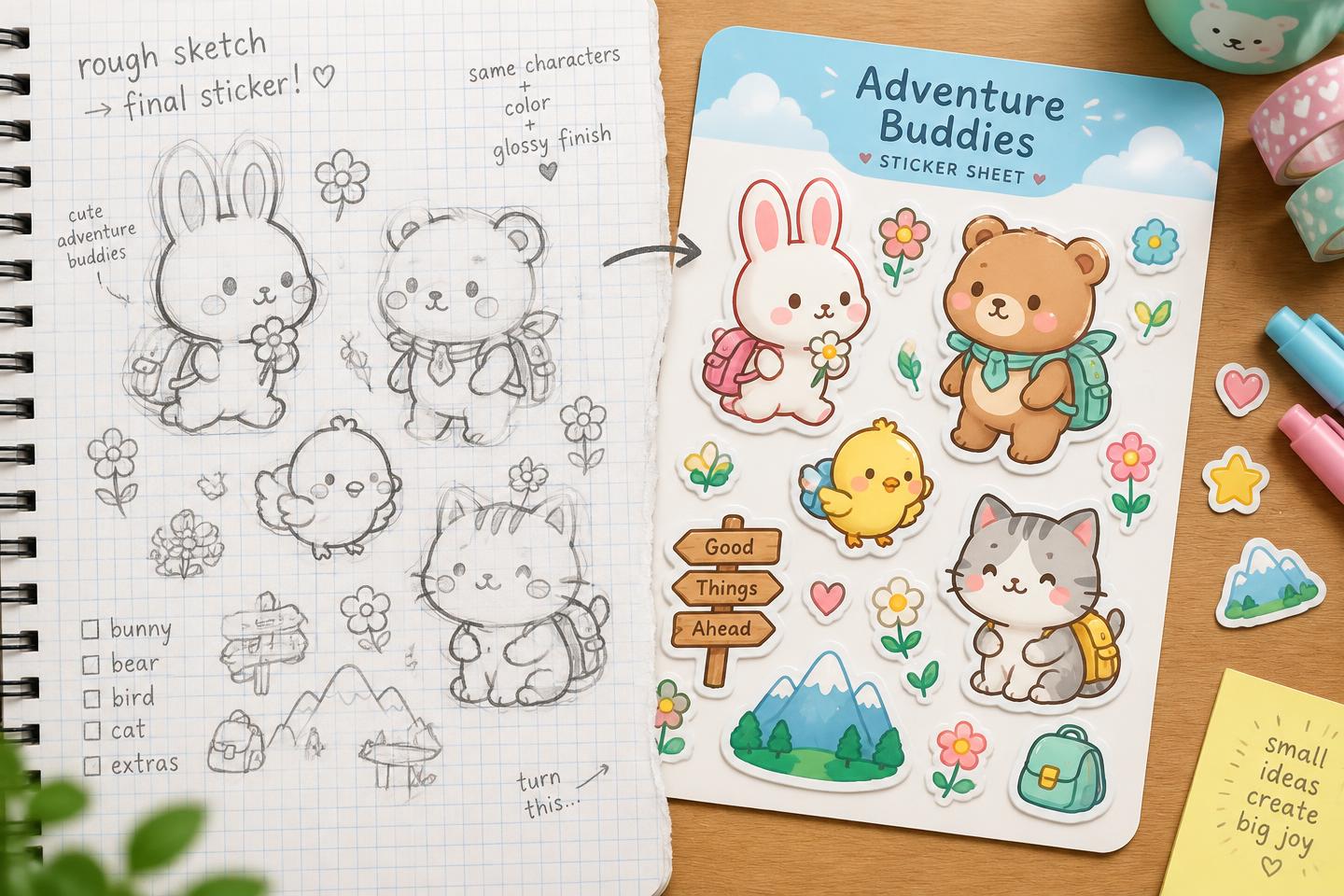
Firefly's Structure and Style Reference tools let you lock a character's shape and look across multiple generations — which means one sketch can become a whole consistent sticker set instead of ten random variations.
The useful bit is consistency, not the drawing
Most people's problem with AI image generation for stickers isn't getting one good image — it's getting five images of the same character that actually look like the same character. Firefly's Structure Reference is aimed directly at that problem.
Upload a reference image — even a rough sketch — and Firefly reads its outlines and depth, then matches that shape and composition in what it generates next. Pair it with Style Reference, which locks in colours, lighting and texture from a second reference image, and you've got a genuinely repeatable pipeline instead of a slot machine.
What that actually gets you
Draw one simple character pose, even badly. Feed it in as the structure reference, then generate variations: waving, sitting, holding a coffee, whatever poses your sticker sheet needs. Because the structure is locked, the character's proportions and shape stay recognisably the same across the set.
That's the difference between 'ten separate AI images that vaguely look related' and an actual sticker sheet you could sell as one product — matching character, consistent style, different poses.
The catch
This isn't a dedicated 'make me a sticker sheet' button — it's two general-purpose reference tools you're using for that job, so expect to regenerate and pick the best results rather than getting a perfect set on the first try.
My take: if you've been avoiding AI image tools because the outputs never match each other, this is the feature that actually addresses that complaint. Test it on one simple character before you commit to a whole product line, and always check Adobe's current commercial-use terms for generated output before you sell anything made with it.
Useful resource
Try Structure Reference ↗
Open Adobe's own guide, upload a simple sketch and test how closely the output follows its shape.
Open resource